How to write an Etsy listing from your product photos
New listing turns your product photos into a complete Etsy listing: a title, a description and all 13 tags. It is saved in your shop as a draft, so nothing goes live until you decide.
1Add your photos
Open New listing from the menu on the left. If you have more than one shop, choose the shop the draft should go to.
Press Choose photographs, or drop them on the box. You can add up to 10. The first one is the photo buyers see in search results, and you can drag the photos into a different order.
Choose Physical product or Digital product, then press Continue.
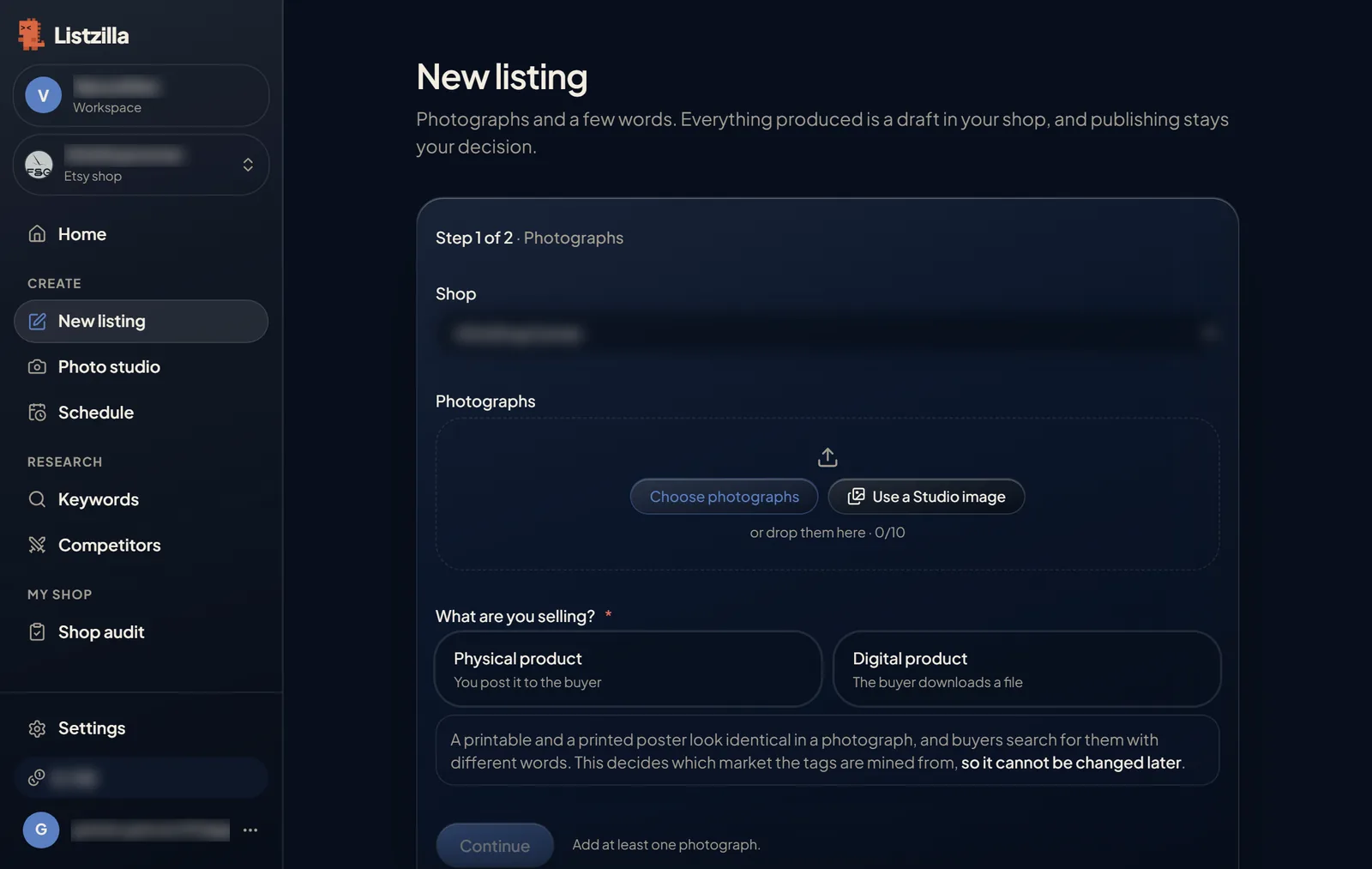
The first step of New listing, with the photo box and the choice between a physical and a digital product. 2Answer a few questions
Listzilla looks at your photos and asks what it cannot see: who buys it, what makes yours different, its size and weight, and anything else worth saying, such as materials or care.
The more you tell it, the less you will need to change later.
Press Write the listing. The cost is shown on the button. It takes about a minute, and you can close the page and come back to it.
3Read the notes at the top
Your listing opens on one page. If something needs your attention, such as a word that promises more than your photos show, it is listed at the top before anything else.
Check that "What is the buyer getting?" is right. A physical item and a digital download need different details on Etsy.
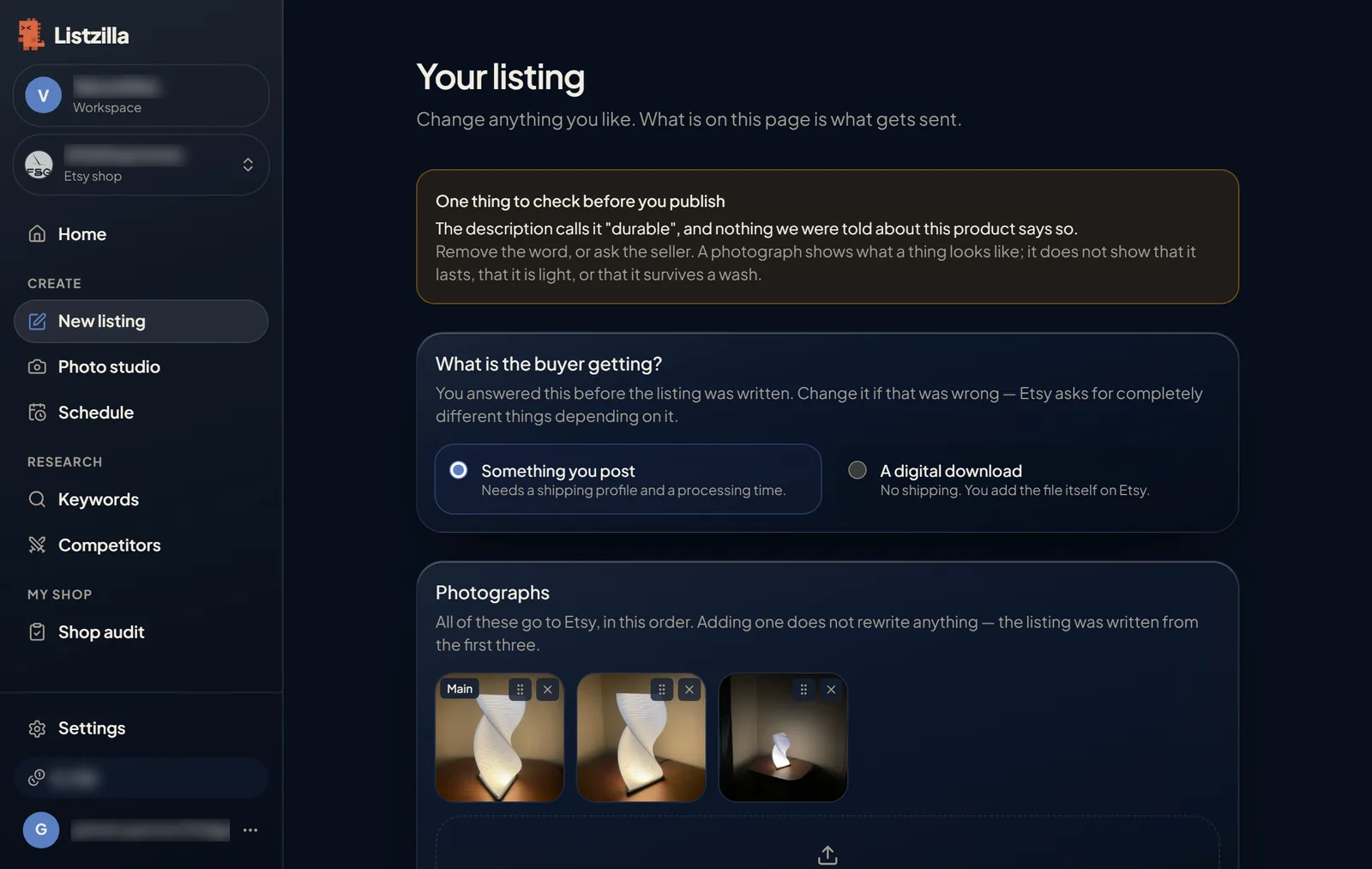
The top of a written listing, with a note to check before publishing and the choice between a posted item and a digital download. 4Check the title and description
You can edit the title and description directly. You can also type what you want changed, such as "lead with the material", and press Rewrite the title or Rewrite the description. Rewrites are included, up to the number shown under the button.
Read the description before you publish. Check the measurements, the materials and any word like durable, waterproof or handmade. Only you know whether they are true.
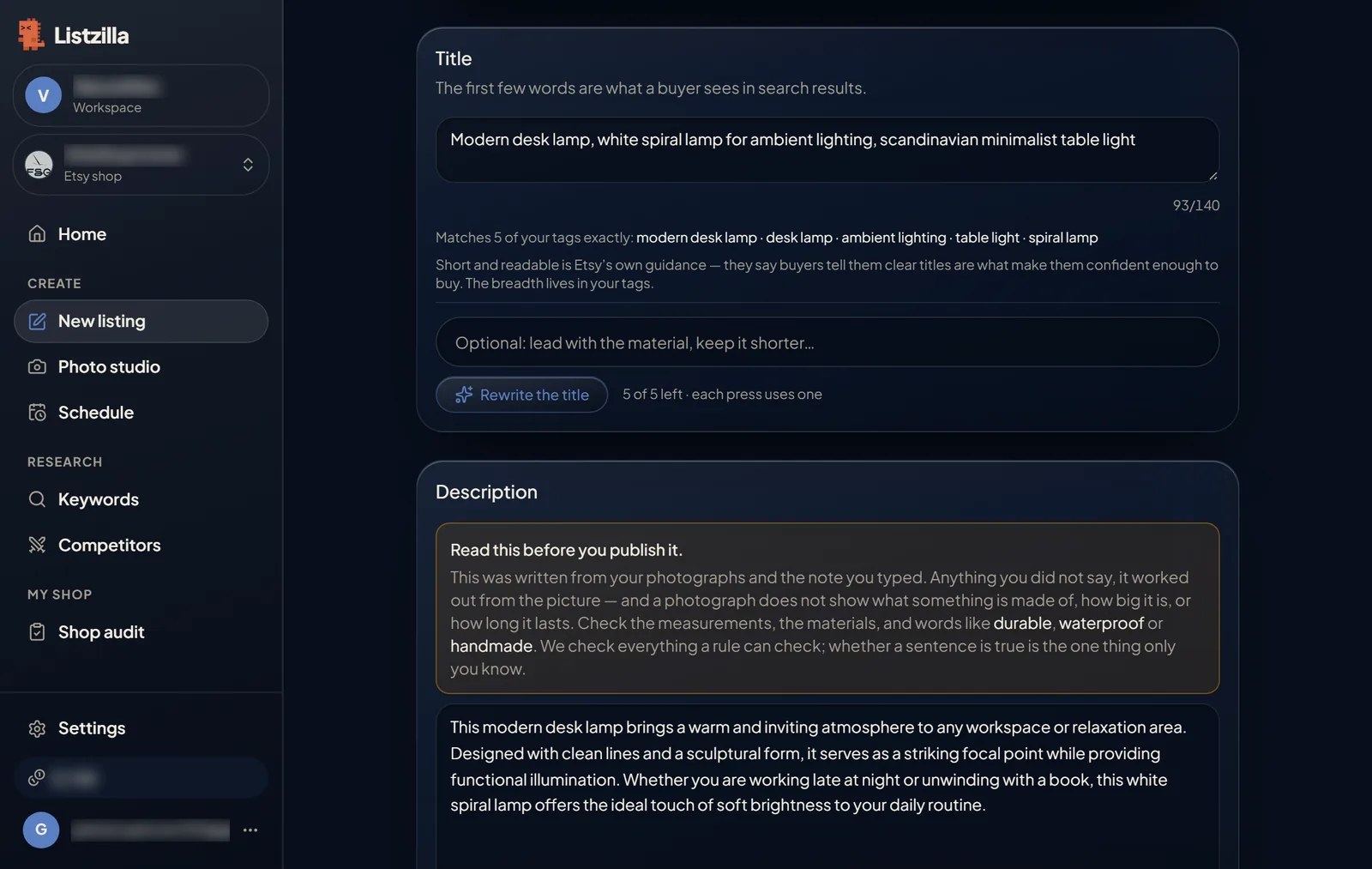
The title and description sections, with the Rewrite the title button. 5Choose your 13 tags
13 tags are ticked for you. Next to each one you see how many active Etsy listings already use it, and a word for how crowded it is, from quiet to crowded.
Untick any tag that does not describe what you sell. Press the button under the list to find more tags, or type a tag of your own and press Measure it.
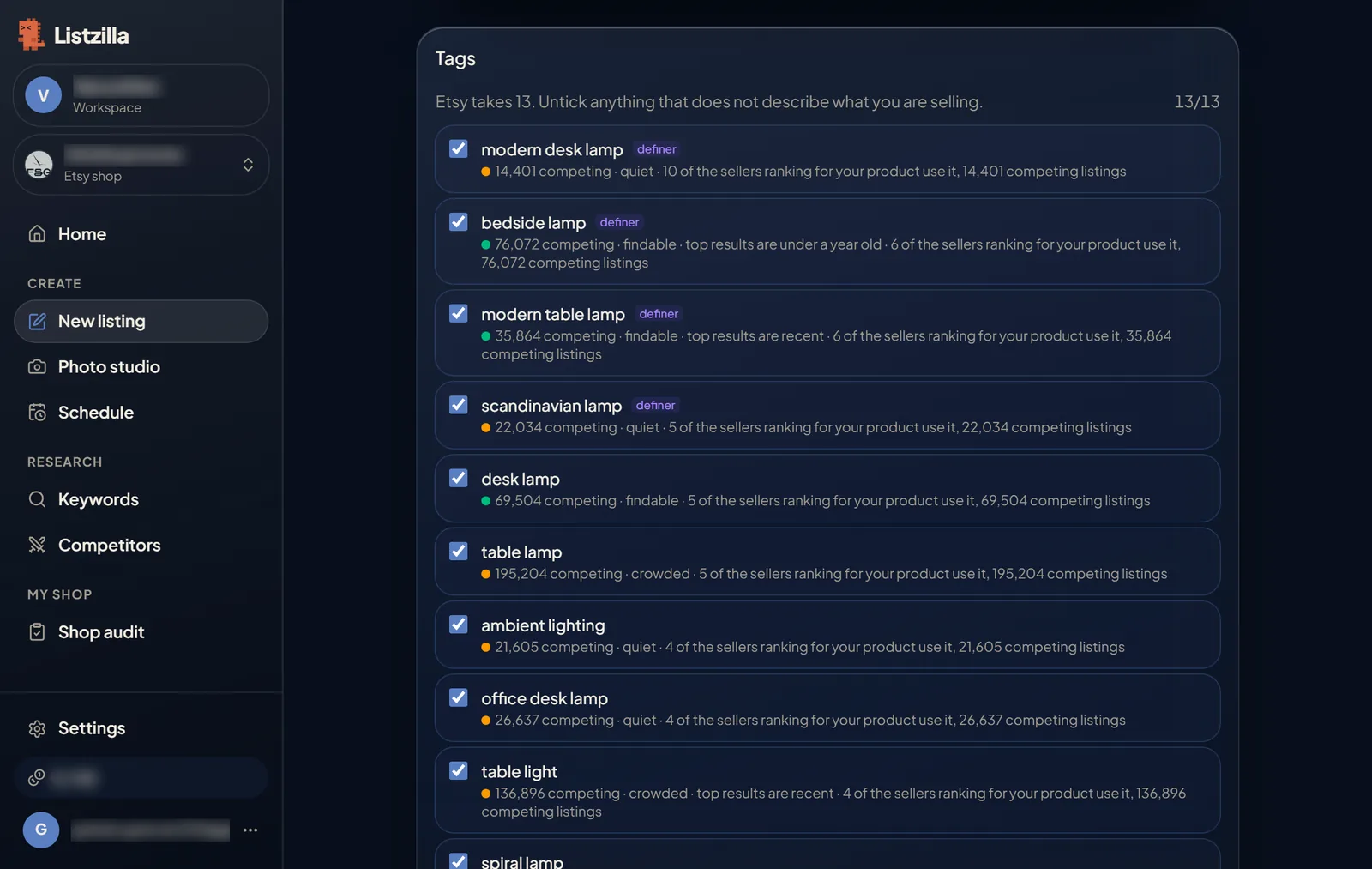
The tags list, each tag with the number of competing listings and how crowded it is. 6Fill in the rest
Below the tags, check the category and details, then add your price, stock, shipping profile and returns. These are yours to set, and nothing is guessed.
Answer "How it was made", choose a shop section if you use them, and add variations or personalisation if the item has them.
7Save it as a draft
Press Create the draft in my shop. The listing appears in your Etsy shop as a draft. Nobody can see it until you publish it on Etsy or schedule it in Listzilla.
If anything is still missing, the line next to the button says what.
After the draft is created you can open it on Etsy, schedule it, or, if you have more than one shop, create it in another shop too.
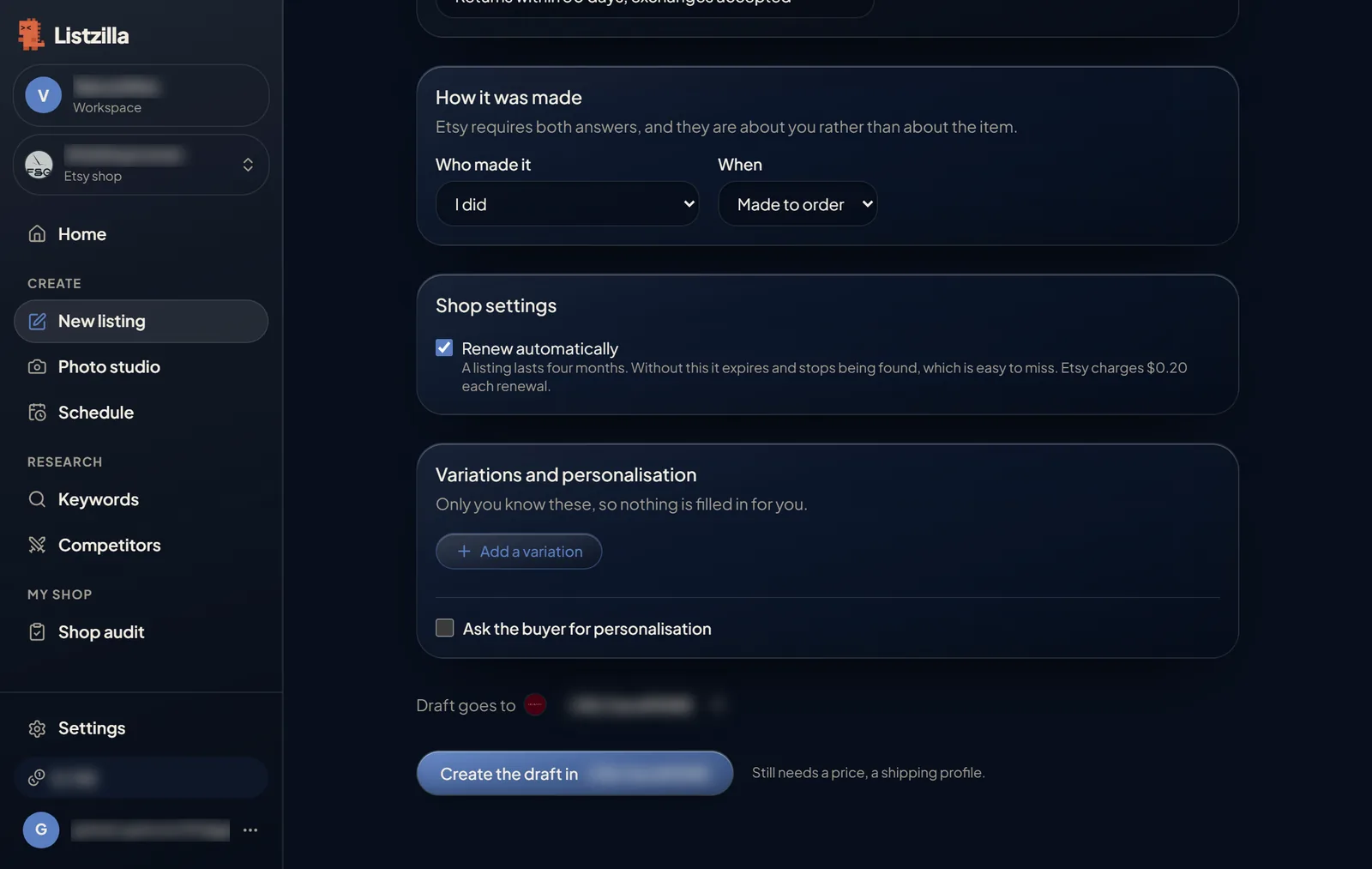
The bottom of the listing page with the Create the draft button.