How to find out why an Etsy listing isn't selling
Shop audit reads the listings already in your Etsy shop and sorts them by what is stopping each one: not being found, being found but passed over, or being wanted but not bought.
1Read your shop
Open Shop audit from the menu on the left and press Sync shop. It takes a few seconds and costs nothing.
Your listings are grouped, for example Nobody finds these, Wanted, not bought and These sell. Press a group to see only those listings. The table shows each listing's views, favourites, sales, photos and tags.
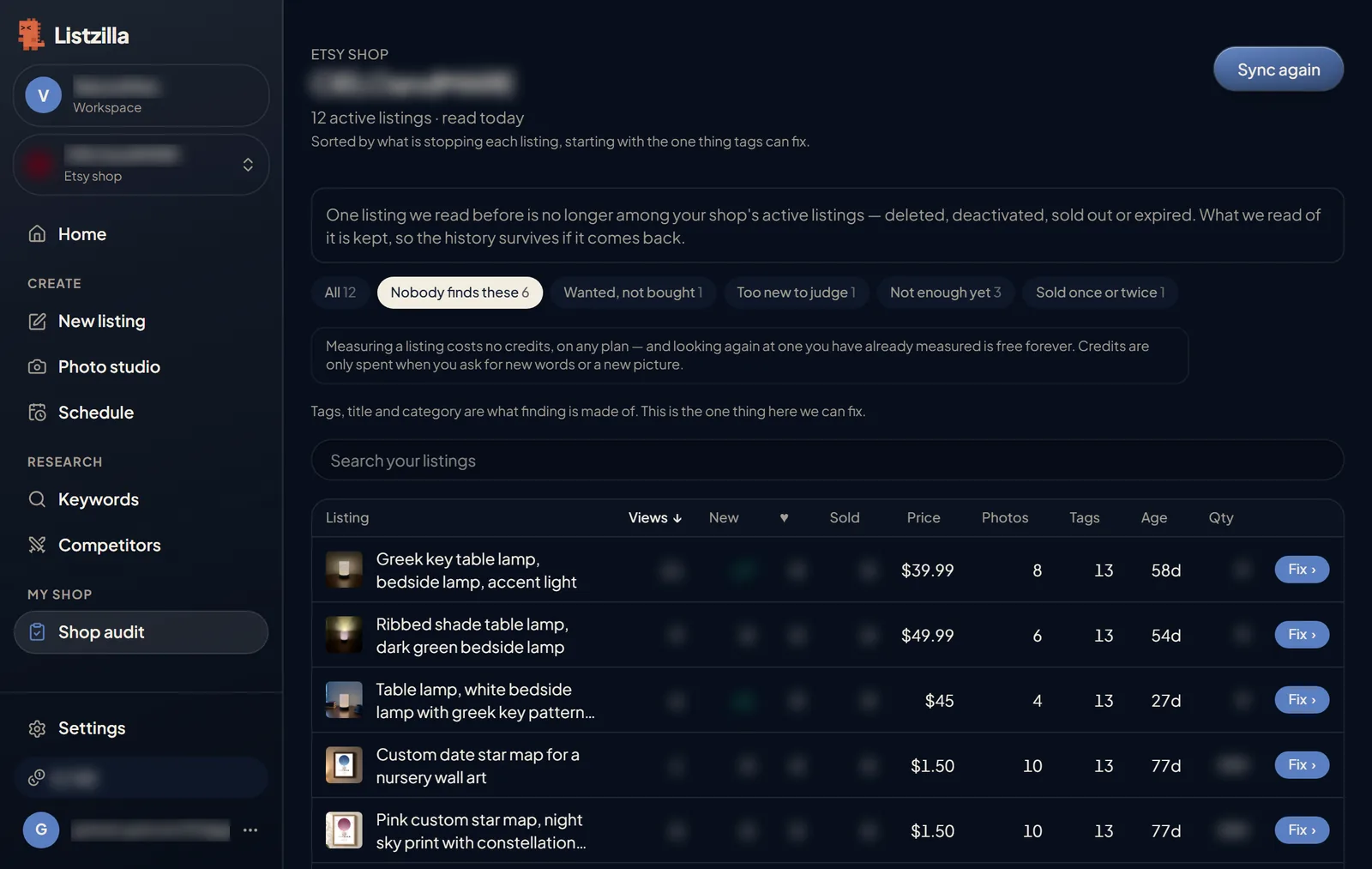
Shop audit: listings grouped by what is holding them back, with views, sales, price, photos and tags for each. 2Open a listing
Press Fix on a listing. The box at the top says, in one line, what is holding it back and what to work on.
Press Analyze my listing. It checks the title, description and tags against a short checklist and measures every tag against live Etsy search. Looking is free, and looking again is too.
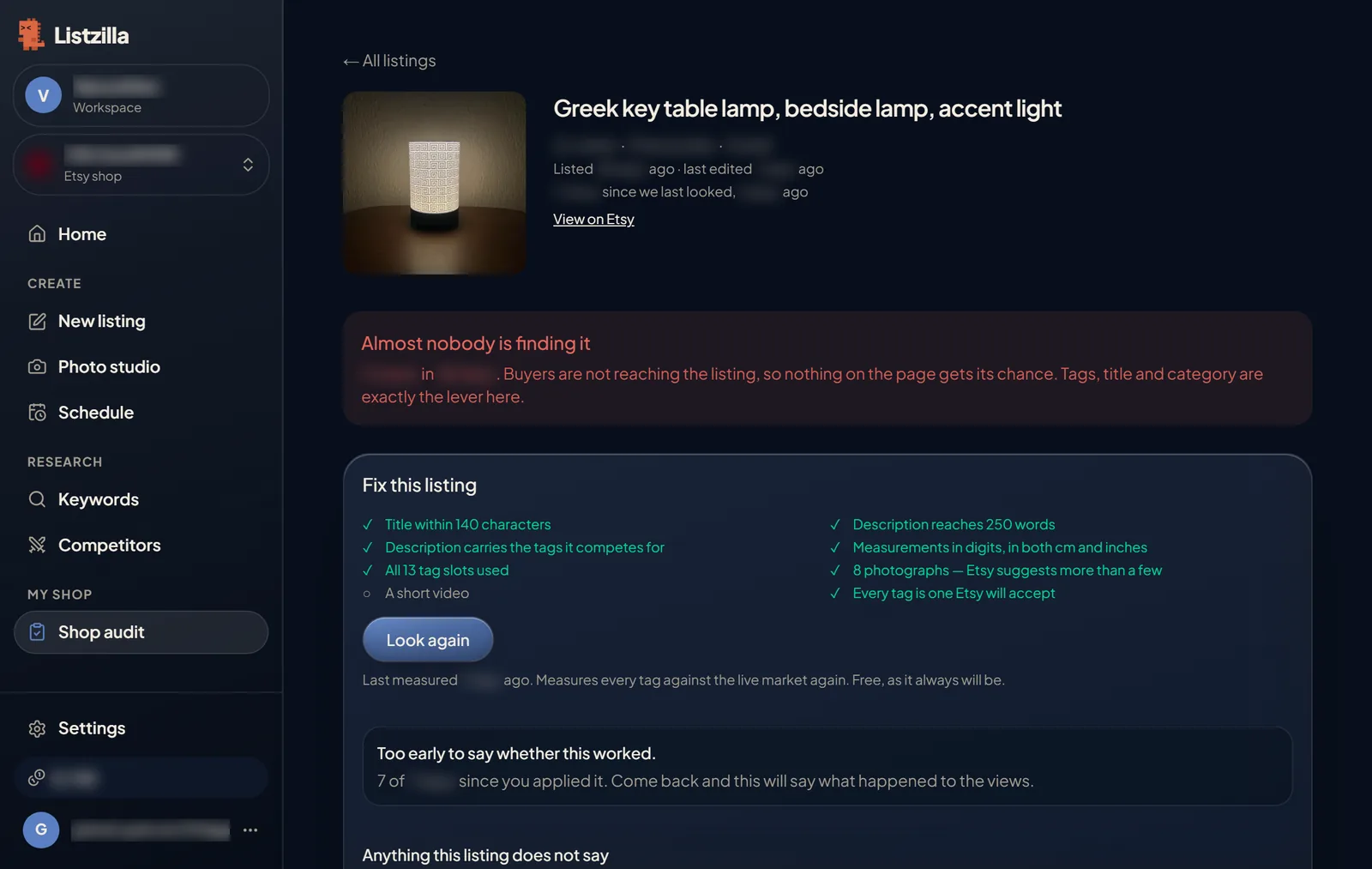
One listing in Shop audit: what is holding it back, and a checklist of what is already done. 3Make it better
From here you can get a new title or description, press Find better tags, measure a tag of your own, and remove photos or add new ones from Your images. The cost of each paid step is shown on its button.
Everything you change stays in Listzilla until you save it.
4Save it to Etsy
Press Save to Etsy. Listzilla shows you exactly what will change on your live listing and asks you to confirm.
Etsy keeps no earlier version, so press See it on Etsy first if you want to compare.
Come back a week or two later. The listing page shows whether its views went up after the change.