How to schedule Etsy listings to go live at a set time
Schedule publishes your drafts at the time you choose, so a listing can go live in your buyers' evening while you are asleep.
1Find your drafts
Open Schedule from the menu on the left. Your shop's drafts are listed on the left, whether you made them in Listzilla or on Etsy.
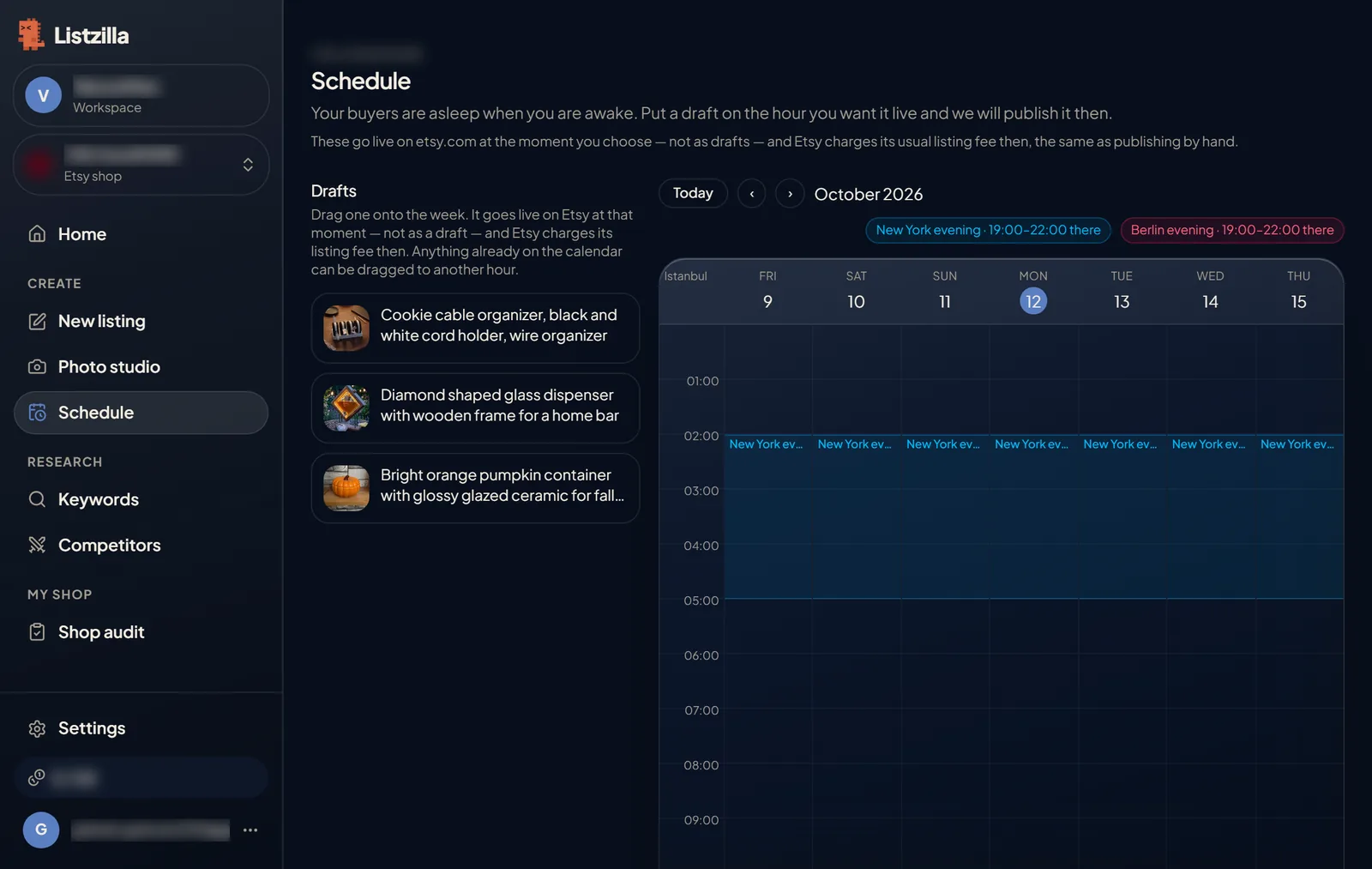
Schedule: drafts on the left and a week calendar with New York and Berlin evening bands. 2Drag a draft onto the calendar
Drag a draft to the day and hour you want it to go live. The coloured bands show evening in New York and Berlin, as a guide.
To change the time, drag it to another hour. To cancel, press cancel on the calendar entry.
3It goes live at that time
At the time you chose, the listing is published on Etsy. Etsy charges its usual listing fee then, the same as publishing it yourself.
If Etsy would not accept a draft yet, for example because it has no price or shipping profile, it says what is missing so you can fix it first.